

Year 3 excursion · Friday
School officeTo: You
Ella’s class is heading out for the day.
Friday, 23 October · 9:00 am
Meet at school
Please pack a hat and water bottle.
Excursion packing list.pdf
 Sign in
Turn messages, emails and saved ideas
into plans your family can use.
 KinLifeOn WhatsApp
Fri 23 Oct, 9 am. Hat + water bottle.
Added to your family calendar.
Also add milk and bread.
Done. On your family’s grocery list.
Tap what feels like your week.
Pick as many as you like.
Your picks help shape KinLife.
Having trouble playing? Open the film
Already have WhatsApp?
You’re ready to use KinLife.
Add to a list or ask about the week ahead,
right from your chat.
Requires a linked number and an eligible plan.
WhatsAppExample conversationAdd milk, bread and bananas to our grocery list.
9:41 ✓✓
Done. All three are on your family’s grocery list.
9:41Milk · Bread · Bananas
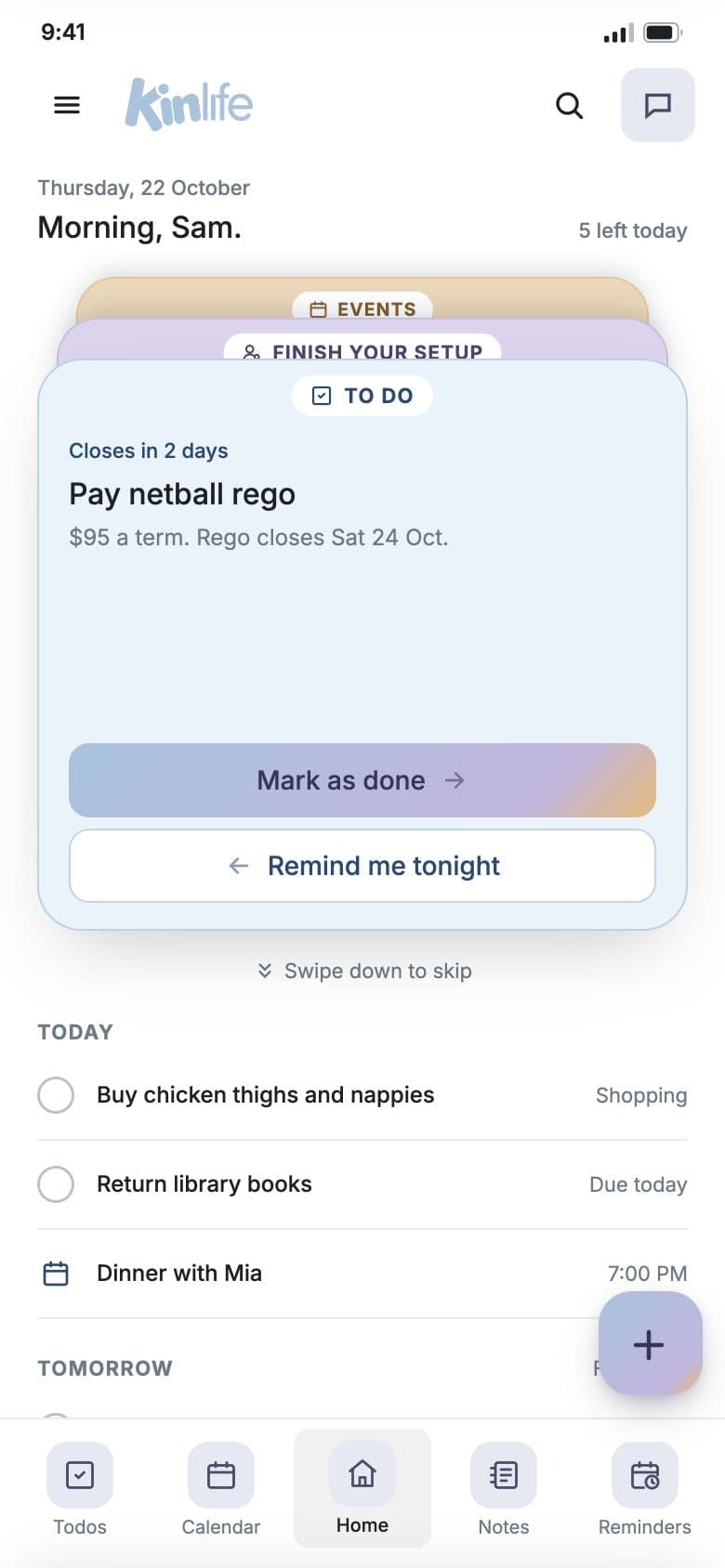
Know what needs you today.
Keep the bigger picture in view.
Swipe to explore the app →




Ella’s class is heading out for the day.
Friday, 23 October · 9:00 am
Meet at school
Please pack a hat and water bottle.
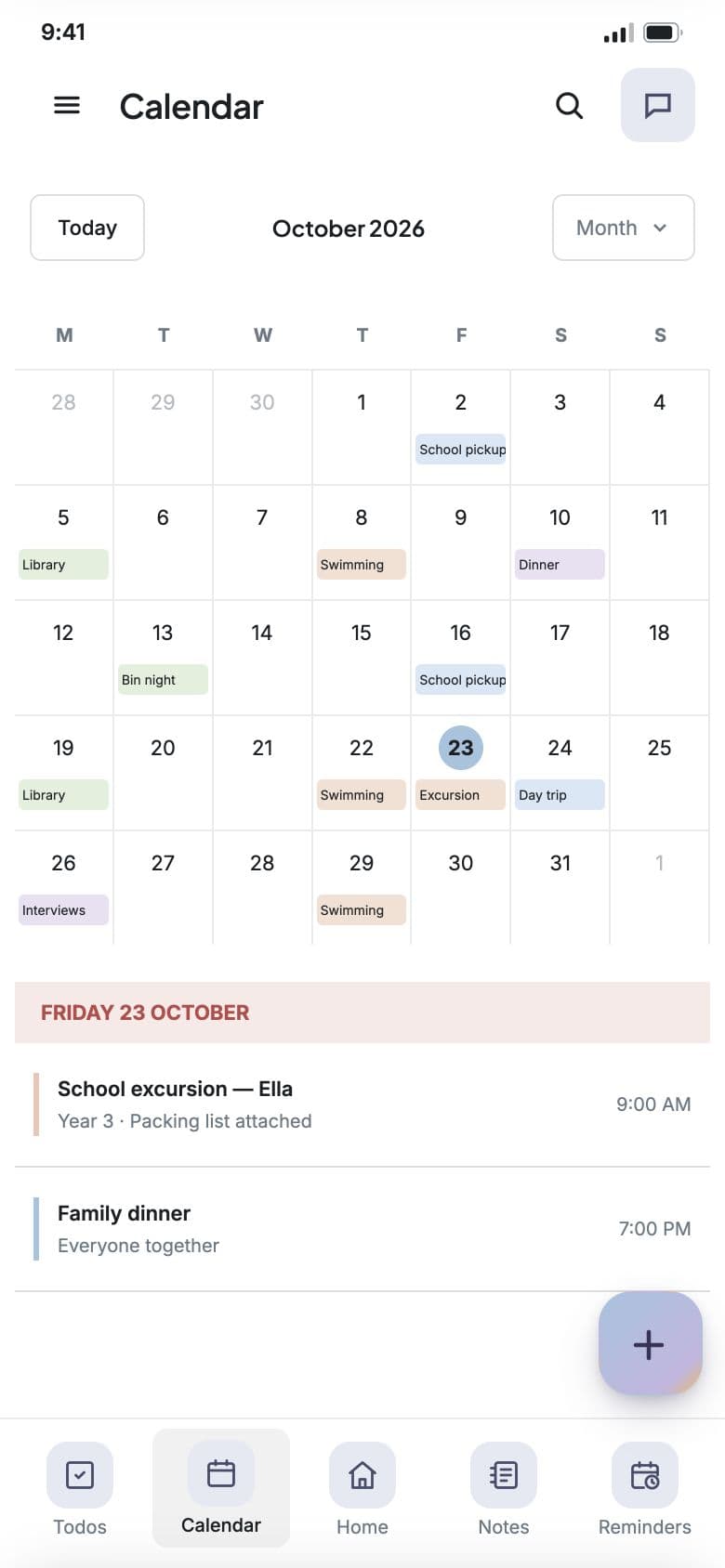
Your family’s calendar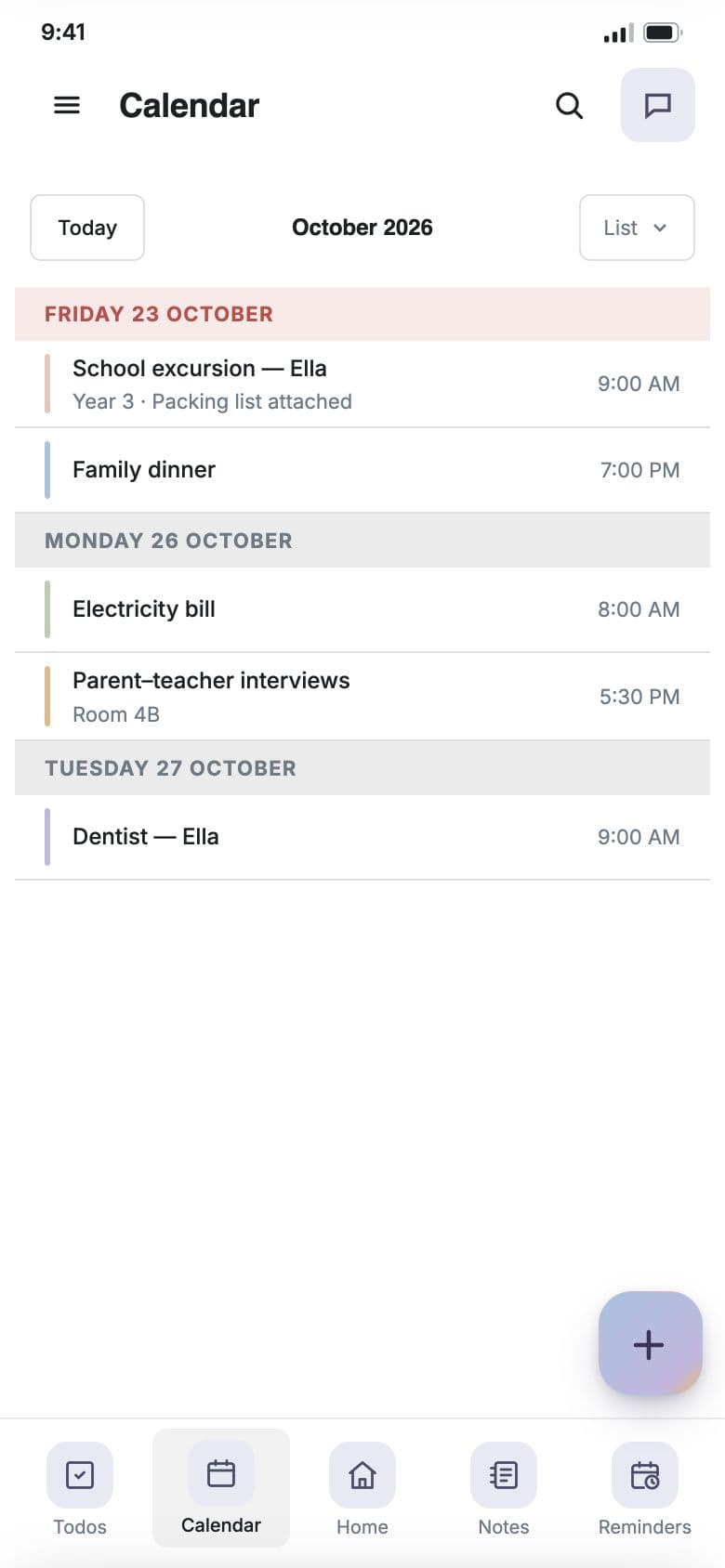
Use KinLife’s calendar, or connect Google Calendar or Apple via iCloud. One external provider per family.

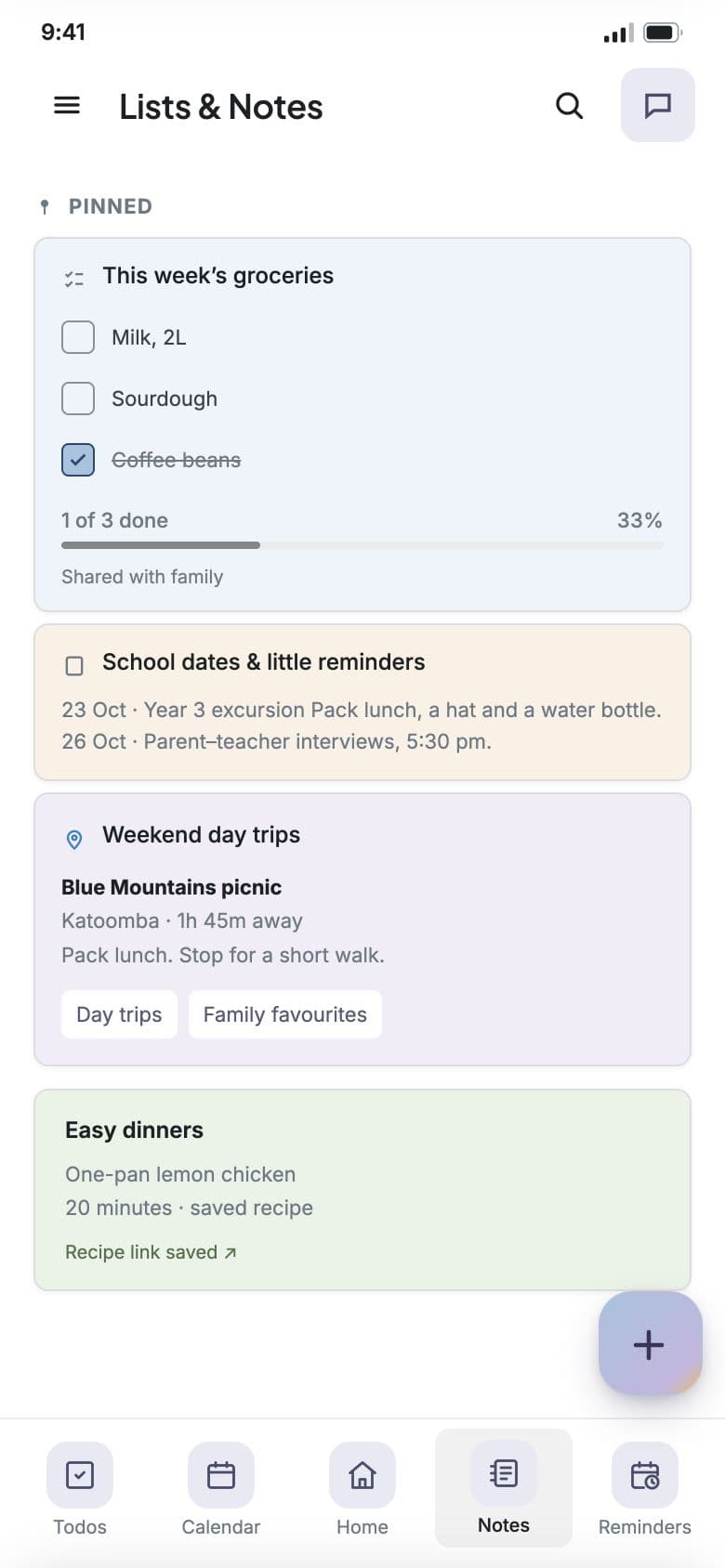
Groceries, packing and family to-dos.
Add what’s needed. Check off what’s done.
Save a recipe, café or day out with a summary and the original link. Find it when you need it.
Supported public links from Instagram, TikTok, YouTube and Facebook.

Send the emails you want help with.
KinLife doesn’t read your whole inbox.
We don’t sell your personal information.
It’s used to provide your service.
Invite your partner or carer.
Manage family access in Settings.
Made by parents, for parents.
With everyday family life in mind.
Start with a free month of Couple.
No credit card needed.
A little help, just for you.
A$5.99/ month
Share the everyday load.
A$9.99/ month
Room for the whole family.
A$19.99/ month
Your calendar, lists and saved ideas.
Your assistant on WhatsApp and email.
Prices in Australian dollars, including GST. One subscription per household.
WhatsApp needs an account and a linked mobile number.
A smart family planner with an AI assistant. Turn messages, forwarded emails, notes and saved links into shared plans, lists and reminders.
Create an account with Google, with an email address and password, or by messaging KinLife on WhatsApp. A short setup chat helps you add your family and mobile number. Connecting an external calendar is optional. Every new family starts with a free month of Couple, no credit card needed.
Each parent who uses KinLife has their own account and joins the same family through an invitation or family code. You share family plans while keeping your own preferences and notifications.
Children can join with a child role and see the family calendar and their own reminders. You can also add a younger child without a login and give them one later while keeping their existing records.
Yes. KinLife remembers family context such as schools, recurring commitments and preferences you share, so you do not have to explain them each time. You can review and edit saved memory in Settings.
Use KinLife’s own calendar, or connect Google Calendar or Apple Calendar through iCloud for two-way sync. An external calendar is optional. Each family uses one external calendar provider at a time.
Yes. You can use KinLife on the web, message your assistant on WhatsApp, or forward emails to your family’s KinLife address with instructions. WhatsApp requires an eligible plan and an active linked number.
No. You choose which emails to forward from your registered family email address. Include what you want the assistant to do, such as adding an event or keeping useful information.
Access to family information is restricted to your family. Calendar connection credentials are encrypted at rest. Read our privacy policy for details about how information is collected, processed and stored.