
Settings & personalisation
Settings is where you manage your account, shape how the assistant behaves, review what's happened, and handle billing. Open Settings, the left rail is grouped into Personal, Household, Connections, and Logs.
Account
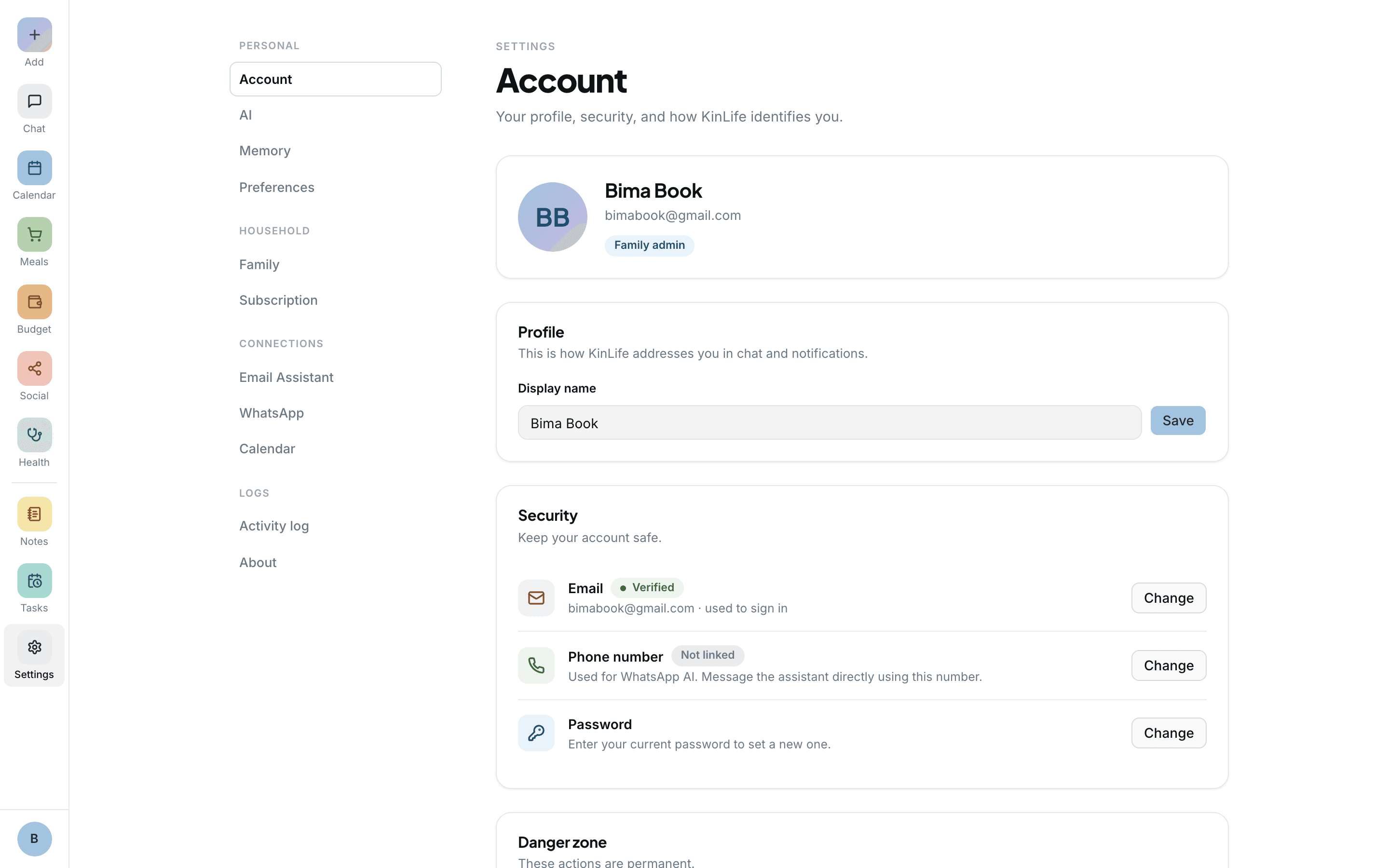
The Account tab handles your identity and security:
- Your display name. Your picture comes from how you sign in and isn't changed here.
- Change email in place: KinLife sends a 6-digit code to confirm the new address. For your password, use Reset password (or Set password if you don't have one yet), which emails you a secure link.
- Your phone number for WhatsApp and reminders.
- A Danger zone for leaving the family or deleting your account.
The assistant's persona
Give your assistant a name, a tone, and a focus that suits your family. The persona is shared by everyone in the family, and an adult sets it in Settings → AI (the System Prompt box), or just asks: “call yourself Kim and keep replies short and warm”. Your family email address is separate: an adult can rename it in Settings → Email Assistant, once every six months.
Memory
Memory is what the assistant knows about your family: children's schools, preferences, routines, dietary needs, important dates. It builds up automatically, and you can read and edit it under Settings → Memory.
Preferences
Set your theme (System, Light, or Dark) for the device you're on. Your family's timezone lives in Settings → Family, where an adult can change it. Timezone matters for getting event times and reminders right; KinLife picks it up from your browser at signup.
Activity log
The Activity log is a chronological feed of who-did-what across the whole product: calendar, notes, health, saved links, family changes, memory, reminders, planning, and messaging. Each entry is tagged with where it came from (for example the web, Chat, WhatsApp, email, a scheduled reminder, or a Google Calendar sync), so it's easy to see how a change happened.
Subscription
The Subscription tab shows your current plan and price, and a “Promo applied” pill if your family redeemed a code. Every new family starts with a free month on the Couple plan, no card required. See also the FAQ for billing questions.